
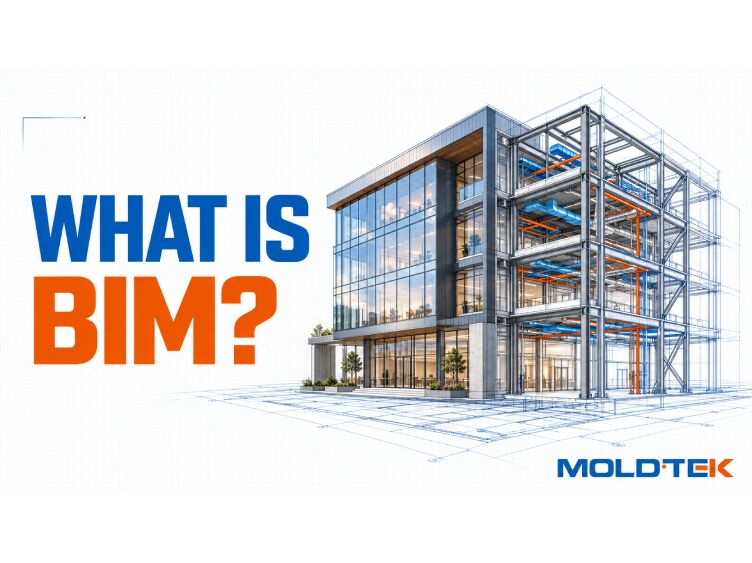
If you’ve spent any time around construction, architecture, or engineering, you’ve heard the term BIM. It gets used in project meetings, software demos, and tender documents, often without anyone stopping to explain it plainly. This guide fixes that. Below, we walk through what building information modeling actually is, how it works, and why it has become the backbone of modern design and construction.
By the end, you’ll understand not just the definition, but the practical reasons teams across the world have shifted from flat drawings to intelligent, data-rich models.
What Is Building Information Modeling?
Building information modeling is an intelligent, 3D digital representation of a building or infrastructure asset’s physical and functional characteristics. In simple terms, BIM stands for a way of creating and managing a project as a single, connected information model rather than a stack of separate drawings.
Here’s the difference that matters. A standard 3D drawing shows shape and size, and nothing more. A BIM model acts as a shared database. Every building element in the model, whether it’s a wall, a door, a pipe, or a beam, carries precise data about its materials, dimensions, cost, and how it relates to every other component around it.
So when you click a beam in a BIM model, you don’t just see a line. You see its steel grade, its length, its connections, its weight, and its place in the construction sequence. That shift, from geometry to intelligence, is the whole idea behind information modeling.
What Does BIM Stand For, and How Is It Different From CAD?
BIM stands for Building Information Modeling. Each word carries weight:
- Building – the asset being designed, from a house to a bridge to a factory.
- Information – the structured data attached to every part of the model.
- Modeling – the ongoing process of creating and refining that model, not a one-time drawing.
The most common point of confusion is BIM versus CAD. Traditional CAD produces drawings: lines, arcs, and text that a human interprets. BIM produces a model: objects that already “know” what they are. A door in CAD is a set of lines. A door in a BIM model is a door, with a manufacturer, a fire rating, a size, and a cost.
That distinction is why BIM technology supports far more than drafting. Because the underlying data is consistent, teams can pull schedules, quantities, and reports straight from the same model that produces the drawings.
How Does a BIM Model Actually Work?
At its core, BIM works by bringing every discipline into one coordinated environment. Instead of an architect, a structural engineer, and a mechanical team each working in isolation and mailing files back and forth, they contribute to a shared model, often described as a single source of truth.
A typical BIM workflow looks like this:
Model creation. Each discipline builds its portion, architectural, structural, mechanical, electrical, and plumbing, using compatible BIM software.
Coordination. The disciplines’ models are combined so overlaps and conflicts become visible.
Clash detection. The BIM data is checked automatically for collisions, for example a duct running straight through a steel beam.
Resolution. Issues are fixed in the digital model, on screen, long before anyone orders material or arrives on site.
Output. Coordinated drawings, quantities, and reports are generated from the finalized information model.
Because every change updates the whole model, a single edit ripples through the drawings and schedules automatically. This is what makes BIM implementation so powerful: the data stays coordinated even as the project evolves.
The Dimensions of BIM: From 3D to 7D
One of the most useful ideas in BIM is that a model can hold more than three dimensions of information. Each added dimension layers new data onto the same digital representations of the asset:
- 3D – Geometry. The physical shape and spatial relationships of every building element.
- 4D – Time. Scheduling and construction sequencing, so teams can simulate how the build progresses week by week.
- 5D – Cost. Estimating and budgeting, with quantities and pricing tied directly to model elements.
- 6D – Operations. Facility and asset management data for the building’s working life after handover.
- 7D – Sustainability. Energy performance and environmental data for greener, more efficient design.
These dimensions turn a static model into a decision-making tool. A project manager can test a schedule (4D), a quantity surveyor can check a budget (5D), and a facilities team can plan maintenance (6D), all from the same shared model.
Key Features That Make BIM So Valuable
Several features set the BIM process apart from older ways of working:
- Multidisciplinary data. BIM combines inputs from architects, structural engineers, and mechanical teams into a single, coordinated environment, so nothing lives in a silo.
- Full lifecycle tracking. A BIM model covers every phase, from initial planning and design through construction, daily operations, and eventual demolition.
- Real-time collaboration. All stakeholders work from one source of truth, which reduces errors and catches clashes before physical building begins.
- Rich, reusable data. Because each object carries structured BIM data, the same model feeds drawings, cost reports, and asset records without re-entry.
Together, these features explain why BIM is now standard practice on large and complex projects: the shared, working model keeps everyone aligned and the information trustworthy.
Why Building Information Modeling Matters on Real Projects
The benefits of Building Information Modeling show up most clearly where the stakes are high. Consider what happens when a duct and a beam try to occupy the same space. On a drawing-based project, that clash might not surface until a crew is on site, mid-install, with material already cut. On a BIM project, it surfaces on screen during coordination, and it’s solved with a mouse, not a torch.
That single capability, catching problems in the model instead of the field, drives the headline benefits:
- Fewer errors and rework, because conflicts are resolved before construction.
- Better cost control, since quantities and estimates come from accurate model data.
- Tighter schedules, thanks to sequencing and coordination done in advance.
- Smarter operations, as the finished model hands facility teams a complete record of the asset.
For structure-heavy work in particular, this coordination is central. In structural steel detailing, for example, a coordinated model lets connections, members, and interfaces be checked against every other trade long before fabrication begins, which is exactly the kind of clarity BIM is built to deliver.
Where BIM Is Used Across the Industry
BIM technology isn’t limited to skyscrapers. It’s applied across nearly every type of built asset:
- Commercial buildings – offices, towers, and mixed-use developments.
- Industrial facilities – plants, warehouses, and manufacturing centers.
- Infrastructure – bridges, roads, tunnels, and utilities.
- Institutional projects – hospitals, schools, and public buildings.
Across all of these, the value is the same: a shared, data-rich model that keeps design, construction, and operations teams working from consistent information. You can see coordinated modeling in action in our project case studies, where sequenced, coordinated models supported fabrication and erection on complex builds.
Common BIM Software and Tools
While this guide stays software-neutral, it helps to know the landscape. Most BIM software falls into a few groups: authoring tools where disciplines model their scope, coordination tools where those models are combined and clash-checked, and analysis tools for scheduling, cost, and energy.
The important point isn’t any single product. It’s that these tools share a common goal: keeping model data consistent so every team works from the same coordinated environment. Interoperability, often through open formats, is what lets a project’s many solutions and platforms exchange information without losing detail.
Frequently Asked Questions About BIM
What does BIM stand for?
BIM stands for Building Information Modeling. It’s an intelligent 3D modeling process that creates a shared, data-rich digital representation of a building or infrastructure asset, used across design, construction, and operations.
Is BIM the same as 3D CAD?
No. 3D CAD produces drawings that show shape and size, while a BIM model is a connected database where every building element carries data about its materials, cost, and relationships. BIM adds intelligence that plain 3D geometry can’t.
What are the dimensions of BIM?
BIM dimensions range from 3D (geometry) through 4D (time and scheduling), 5D (cost), 6D (operations and asset management), and 7D (sustainability). Each layers additional information onto the same model.
Who uses building information modeling?
Architects, structural and MEP engineers, contractors, project managers, and facility teams all use BIM. It brings multidisciplinary data into one coordinated environment so everyone works from a single source of truth.
What are the main benefits of BIM?
The main benefits of BIM are fewer errors through clash detection, better cost control, tighter schedules, and smarter long-term operations, all driven by a shared, accurate information model.

About the Author
By Abhishek Suresh
Deputy Manager – Marketing at Moldtek Technologies
A distinction holder in MSc International Management from Trinity College Dublin and a semi-qualified Chartered Accountant (CA – IPCC from India) with an undergraduate degree in the field of accountancy and finance. I am currently working at Moldtek Technologies Ltd as a Deputy Manager, Marketing, taking care of the entire marketing activities of the business.